Aniimo system requirements: PC minimum and recommended
Aniimo PC requirements from Steam: GTX 970 and 8 GB RAM to start, RTX 3060 and 16 GB recommended. A two-minute check of your own PC, plus the Mac and phone routes.
Aniimo system requirements start at a GTX 970 or Radeon RX 5600, 8 GB of RAM and 40 GB of storage on PC, and Steam recommends an RTX 3060 or Radeon RX 6700 with 16 GB. The game is free to play and listed for Windows only, so a Mac player needs a different route.
Aniimo PC requirements, minimum and recommended
Steam shows this table for Aniimo. The minimum is the cheapest set of parts the developer lists. Aim for the recommended column when you buy or upgrade.
| Part | Minimum | Recommended |
|---|---|---|
| OS | Windows 10, 64-bit | Windows 10 or above, 64-bit |
| Processor | Intel Core i7-4770 / AMD Ryzen 7 2700 | Intel Core i7-10700 / AMD Ryzen 5 5600 or better |
| Memory | 8 GB RAM | 16 GB RAM |
| Graphics | NVIDIA GeForce GTX 970 / AMD Radeon RX 5600 | NVIDIA GeForce RTX 3060 / AMD Radeon RX 6700 or better |
| DirectX | Version 11 | Version 11 |
| Network | Broadband | Broadband |
| Storage | 40 GB available | 40 GB available |
Both tiers ask for the same DirectX version and the same 40 GB of space, so the real gap is the processor, memory and graphics card.
Check your PC in two minutes
Read five numbers from your own machine, then lay them next to the table above.
- OS, processor and RAM. Right-click Start, choose Settings, then System and About. Device specifications lists the processor, the installed RAM and whether Windows is 32-bit or 64-bit, and Windows specifications gives the edition and version.
- Graphics card. Press Ctrl+Shift+Esc to open Task Manager and pick the Performance tab. Your GPUs are listed in the left panel when the driver supports WDDM 2.0 or above.
- DirectX. Type dxdiag in the Windows search box and open it. The System tab shows the DirectX version.
- Free disk space. Go to Settings, System, Storage. With several drives, open Advanced storage settings, then Storage used on other drives.
# type this in the Windows search boxdxdiagA worked example
This is an invented PC, not a measured one, set against the Steam figures.
| Part | Example PC | Minimum | Recommended | Result |
|---|---|---|---|---|
| OS | Windows 11, 64-bit | Windows 10 | Windows 10 or above | Meets both |
| Processor | Ryzen 5 5600 | Ryzen 7 2700 | Ryzen 5 5600 | Meets both |
| Memory | 8 GB | 8 GB | 16 GB | Minimum only |
| Graphics | RTX 3060 | GTX 970 | RTX 3060 | Meets both |
| Storage free | 25 GB | 40 GB | 40 GB | Misses both |
The example runs the recommended graphics card and processor, so one row decides it: 25 GB of open storage is under the 40 GB both tiers list. Clear 15 GB or more, or install on a bigger drive, and the PC clears the minimum. Doubling the RAM to 16 GB would then reach the recommended tier.
How to read your result
A row that matches or beats the minimum is a pass. A row under it is the one to fix. If more than one row misses, the usual order is graphics card first, then RAM, then storage. That order is general guidance, not from the game, and it follows how much each part tends to change what you see on screen.
Aniimo stats at a glance
| Item | Value | As of |
|---|---|---|
| Price | Free to play | Steam store |
| Platform on Steam | Windows only | Steam store |
| Modes | Single-player, multi-player, PvP, co-op, cross-platform multiplayer | Steam store |
| Languages | 13, with full audio in English, Simplified Chinese, Japanese and Korean | Steam store |
| Controllers | DualSense support | Steam store |
| Playing now on Steam | 41,568 | Oct 31, 2026, 04:32 UTC |
The official site also lists an Official PC Launcher next to the Steam page, so there are two ways to install on a PC.
Aniimo on Mac and phone
Steam lists Windows only and leaves the Mac requirement blocks empty. A Mac owner can follow how to play Aniimo on a Mac with GameHub, which carries the setup steps.
On a phone, the official site links an App Store listing that shows a 4 GB size and iOS 15.0 or later on iPhone.
| Your device | Next step |
|---|---|
| Windows PC | Run the two-minute check above, then install from Steam |
| Mac | Follow the GameHub guide |
| iPhone | Install from the App Store listing |
| Either, once installed | Read how multiplayer unlocks |
Verdict
An 8 GB, GTX 970 class PC with 40 GB of storage starts Aniimo, and 16 GB with an RTX 3060 is the tier Steam recommends. Check your own five rows against the table, fix the graphics card first if several miss, and take the Mac or phone route only if you have no Windows PC.
Install Aniimo for free: open the Aniimo Steam page
Sources:Steam: Aniimo, Steam: players in game, Aniimo official website, App Store: Aniimo, Microsoft Support: Find information about your Windows device, Microsoft Support: Which version of DirectX is on your PC?, Microsoft DirectX Developer Blog: GPUs in the Task Manager.
Responses
Keep reading
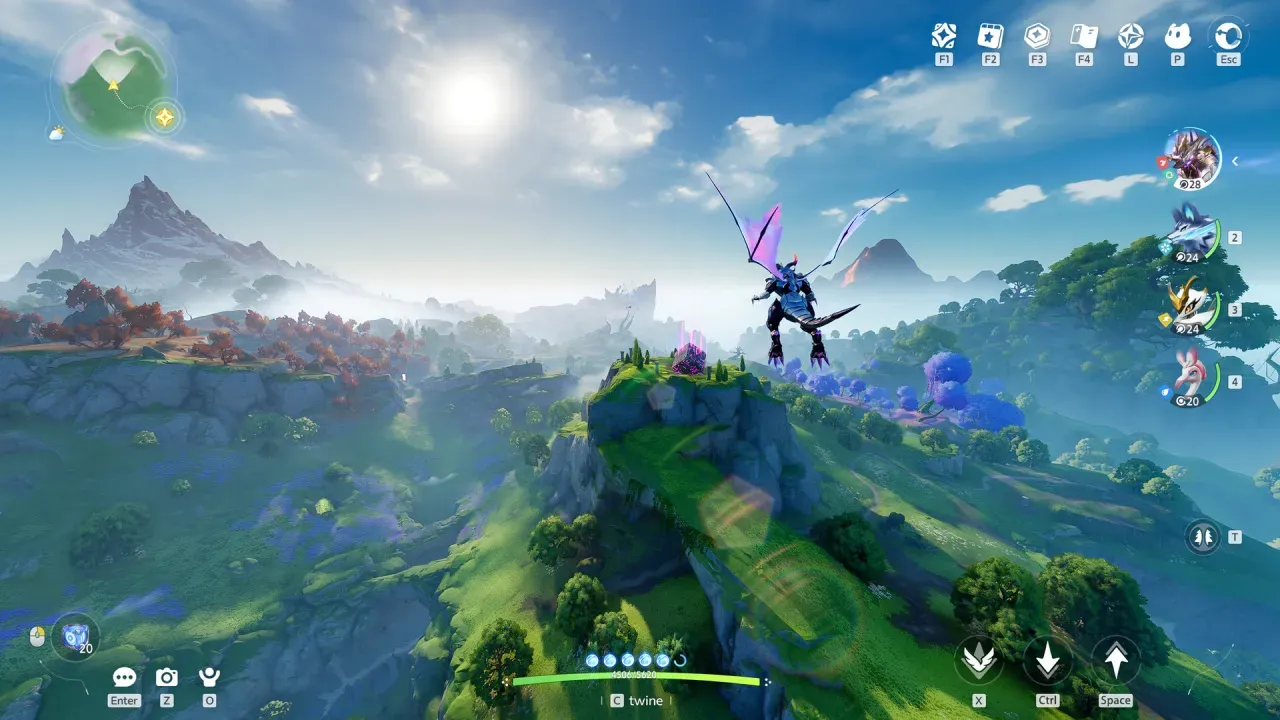
How to play Aniimo on Mac (MacBook) with GameHub
Can you play Aniimo on a Mac? Aniimo has no Mac version, but it runs on a MacBook Air M4 through GameHub. Here is the setup, step by step.


How to duel other players in Aniimo (1v1 PvP)
To duel another player in Aniimo PvP, open their player card in the plaza, choose Fair Match and confirm. See each step and one sparring result.


All New Aniimo Season 1 Part 2 (Full List of 51)
All 51 new Aniimo in Season 1 Part 2: the 32 species and 10 Prismana forms, how to get each Prismana and where the families live.