How to play multiplayer in Aniimo
How to unlock multiplayer in Aniimo at character level 14, add a friend by UID, invite them to a party of up to four and join the same world, with the limits on crossplay, server region and shared progress.
 Epic Games
Multiplayer unlocks at level 14, right after the first Sanctum, about an hour into the game. The Friends and Party tiles appear in the main menu, a friend is added by UID, and a party of up to four plays in the host’s world.
Reach level 14 and the first Sanctum
Level 14 is the gate. Reach it and the Friends and Party tiles unlock in the main menu. Until then multiplayer stays closed, so play the opening story through the first Sanctum first.
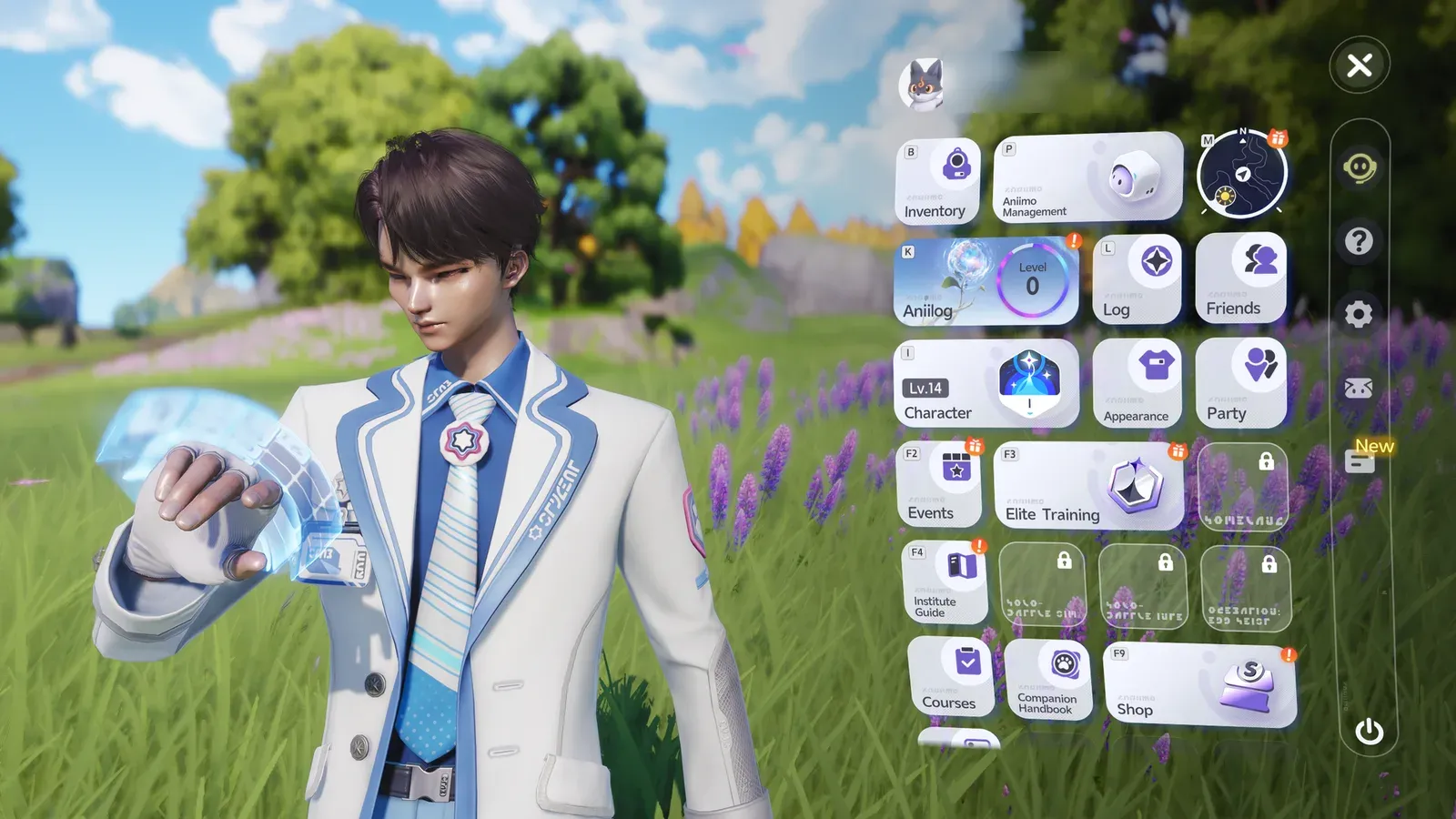
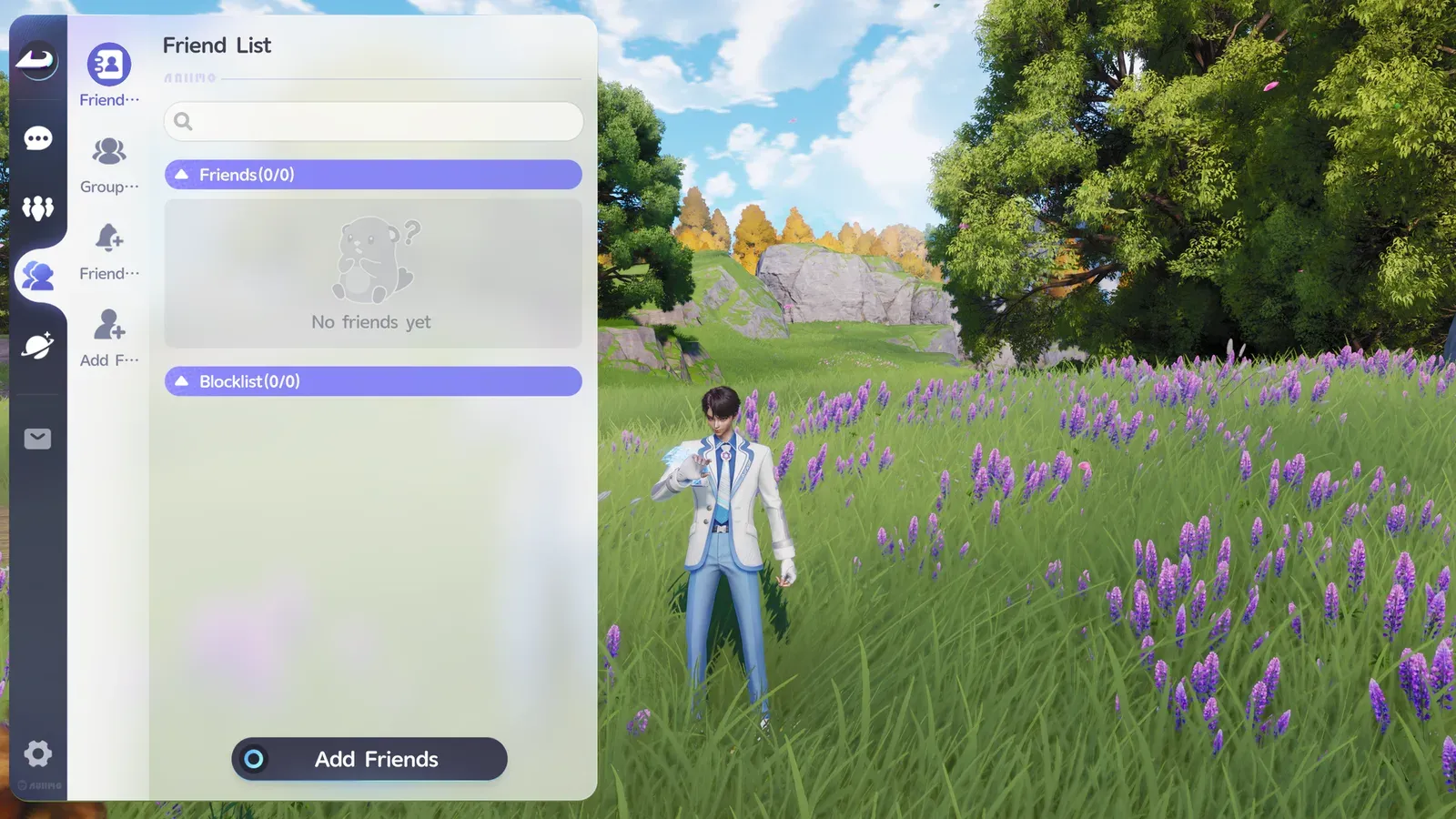
Add a friend by UID
- Open the menu and choose Friends.
- Open Add Friends.
- Search the friend’s UID. A UID sits on the profile screen in the menu. Usernames work too, but the exact UID is the safer search.
- Wait for the friend to accept.
Share the UID in both directions, so either player can send the request.
Invite the friend to a party
- Open Party and create a party.
- Press a plus slot and pick the friend from the list.
- The friend accepts the invitation and joins the host’s world.
The Party menu is also called a group or a squad.
Use Companion mode to stay together
Companion mode makes one player the leader and the other the follower, and the follower walks after the leader. Press T on PC to end it. Close together, chests and catches count for both players, and after an Alpha fight everyone gets a chance to catch it.
The buttons sit on the other player’s card, in the bottom row. Companion Mode is the pink one: it makes you the leader and asks the friend to come along. Ask to Join Companion is the blue one: it makes you the follower. Gestures sits beside them.
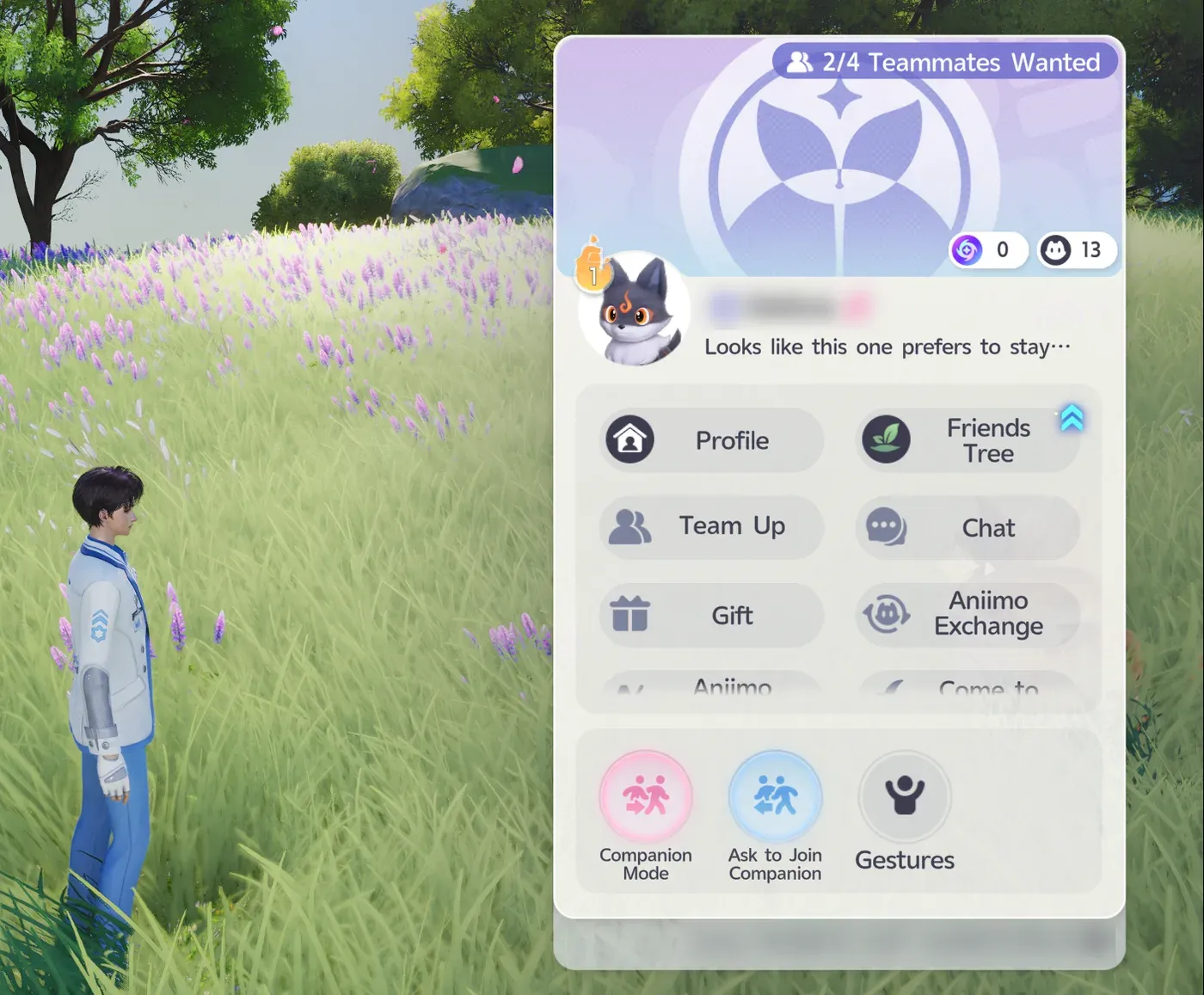
Above the bottom row the card lists Profile, Friends Tree, Team Up, Chat, Gift and Aniimo Exchange.
Know the limits before inviting
- Players: four, the host and up to three guests.
- Platforms: crossplay between PC, PS5, Xbox Series X and S and mobile.
- Server: the same region for both players, America, Europe or APAC. A PS5 account follows its PSN region.
- Progress: only the host’s world saves. A guest gets no main-story progress and no teleport unlocks from it.
A server mismatch blocks friend search and party invitations even when the UID is right. Data on each server is independent, so both players need a character on the same server.
Run the main story quests in each player’s own world, because a guest does not advance them in the host’s.
Verdict
Multiplayer is fun when both players progress at the same time, even though stories stay separate. Chests and catches count for both players when they are close, Companion mode keeps a pair together, and each player runs the main story in their own world. That makes it a good fit for couples who play side by side.
Aniimo launched on September 16, 2026 for PC, PS5 and Xbox Series X and S, and reached iOS and Android on September 23. It is free to play on every platform. Try Aniimo today: play it for free at aniimo.com.
Sources:Aniimo, GAMES.GG, Epic Games Store.
Responses
Keep reading
How to play Aniimo on a Mac with GameHub
Aniimo has no Mac version, but it runs on a MacBook Air M4 through GameHub. Here is the setup, step by step.

Aniimo codes, tier list and map
Every working Aniimo gift code and how to redeem it, a tier list of the best Aniimo by role, and the map of Idyll with its 14 regions, Sanctum teleports and an interactive map for chests and spawns.
Claude Code usage limits: what burns your quota and how to stretch it
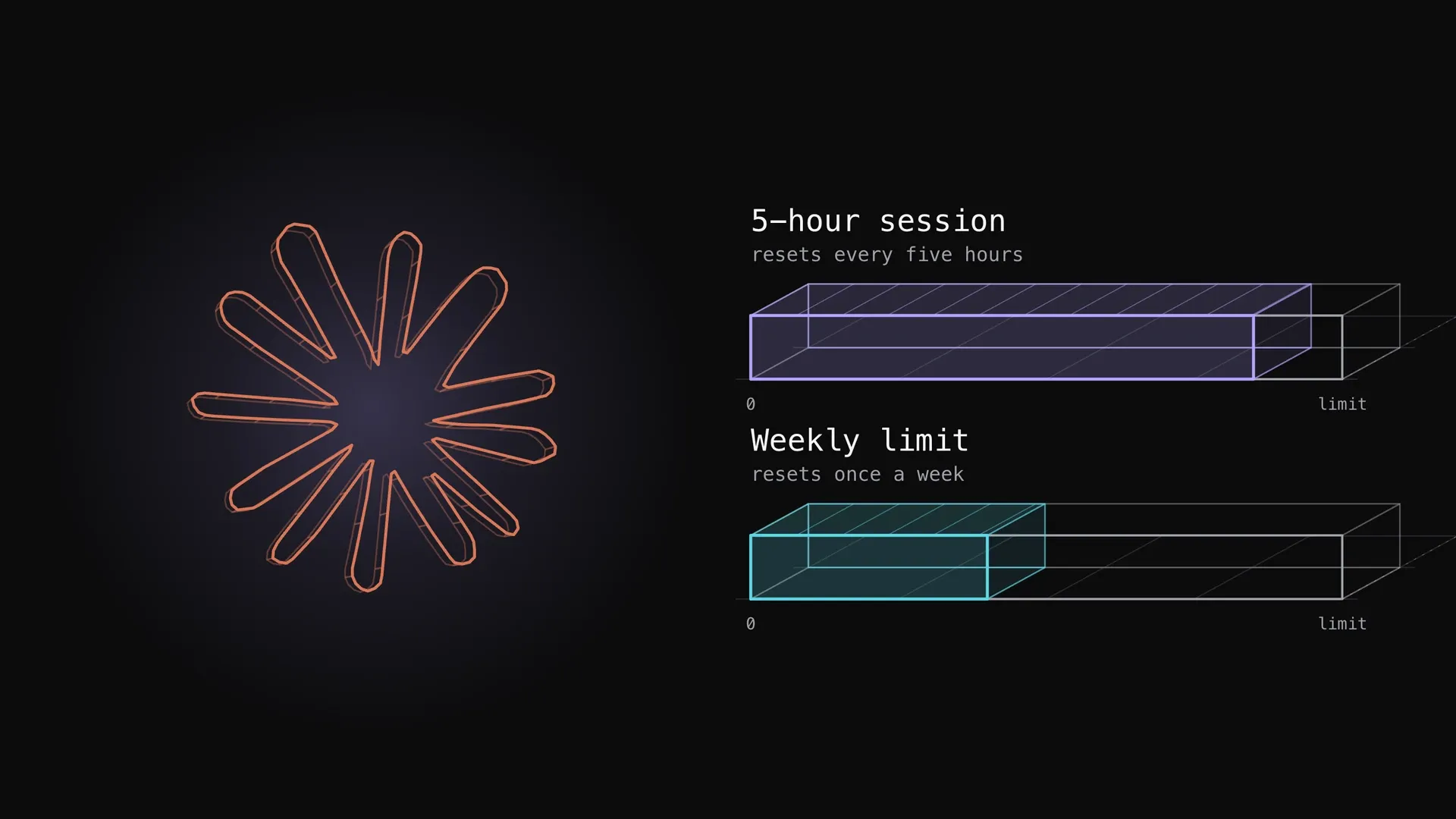
What the Claude Code five-hour and weekly limits are, how they show up, what spends them fastest (long context, large tool output, parallel agents, model choice, retries) and the documented ways to stretch them, with one measured plan week.