Claude weekly limit reset: when it comes back
The Claude weekly limit resets once every week, separate from the five-hour session limit. See what the docs state and how to check your own.


The Claude weekly limit reset arrives once every week, and the five-hour session limit resets on its own, shorter cycle. Waiting is only one of several ways past a limit.
How the weekly limit relates to the five-hour limit
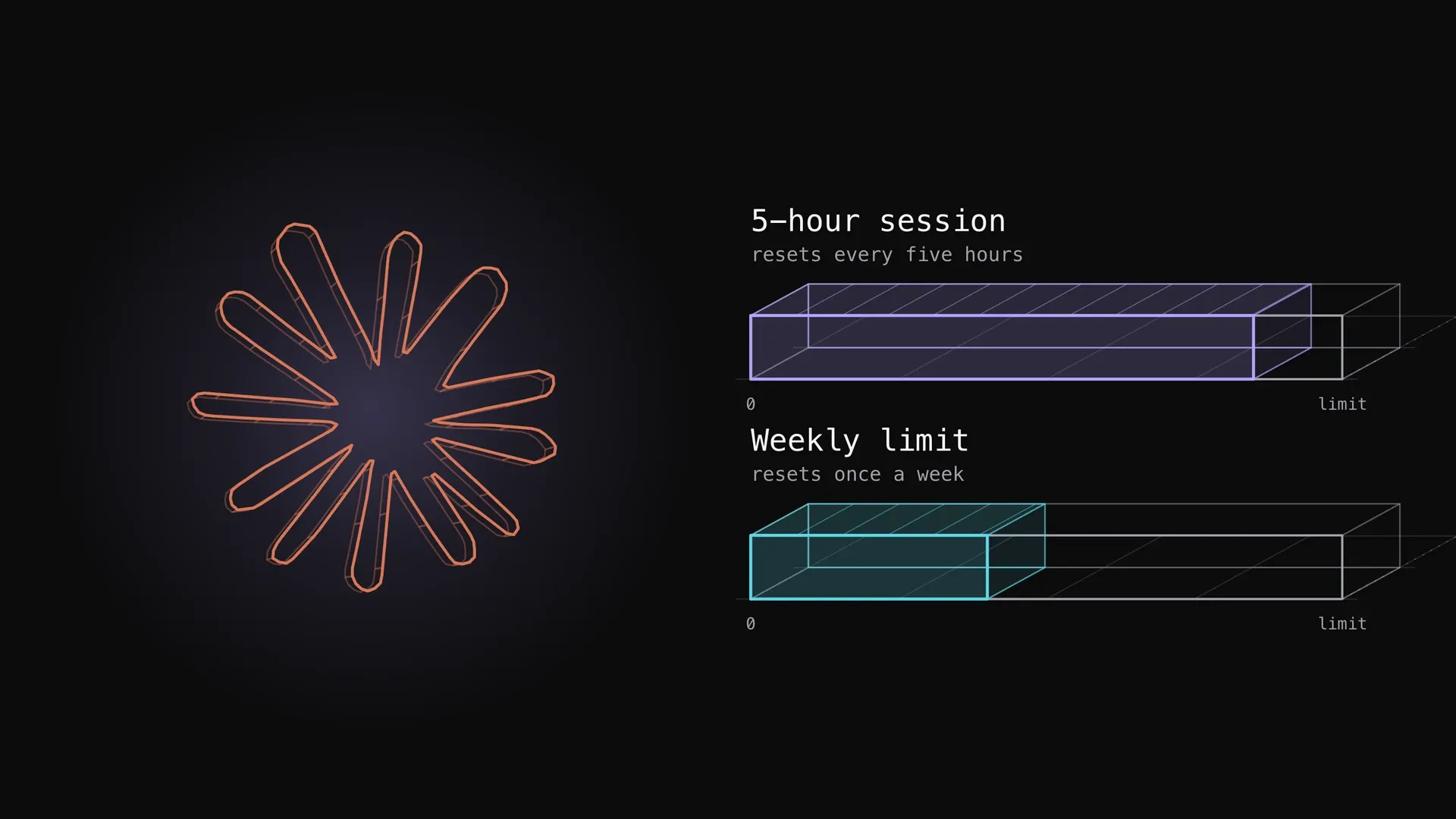
Paid plans run on two clocks. The session limit resets every five hours, while the weekly limits reset once every week. Pro and Max both have a session limit and a weekly limit, and Max adds a separate weekly limit for Fable.
| Limit | Resets | Plans |
|---|---|---|
| Session limit | every five hours | Pro, Max |
| Weekly limit | once every week | Pro, Max |
| Separate weekly limit for Fable | weekly | Max only |
The two clocks are linked in at least one place. When a response is still running as you hit the session limit, Claude Code may show “Usage limit reached · wrapping up” and finish its step, and that usage counts toward your weekly limit. So a busy session eats into the week, not just the window.
What spends the same pool
The pool is shared, so a long chat on the web shortens the week you have left for the terminal. The help center says usage of all different Claude product surfaces (claude.ai, Claude Code, Claude Desktop) counts towards the same usage limit, and IDE usage counts toward the same usage limits too.
Four things change how fast it drains, according to the help center: the length and complexity of your conversations, the features you use, the model, and the effort level.
| Lever | Direction, as the help center states it |
|---|---|
| Effort level | higher effort uses more tokens |
| Long chats | longer conversations that trigger automatic context management consume more of your usage limit |
| Tools and connectors | token-intensive, so turn off the ones you don’t need |
| Extended thinking | turn it off when a task doesn’t need it |
For what burns quota fastest in practice, see Claude Code usage limits. For a wait rule that spreads the allowance over seven days, see how to pace your Claude subscription.
Where the plan shows your usage
In Claude Code, the documented check is the /status command. The Pro and Max article tells you to monitor your remaining allocation using the /status command, and says you’ll also see warning messages as you approach any limit.
/statusOpen it once on your own account to read your remaining allocation.
What to do when you hit it
If you hit the session or weekly limit, you can wait for it to reset or upgrade your plan. Which route fits depends on whether you need the work done now.
| Option | What happens |
|---|---|
| Wait | the limit comes back at its next reset |
| Upgrade | your new plan’s limits apply right away |
| Usage credits | your work continues on usage credits instead of stopping |
| Console API credits | billed at standard API rates, separate from plan pricing |
The wrap-up allowance is small and rolling out gradually, so it may not be on your account yet. On Pro it applies up to once per weekly usage period. On Max it can apply each time you reach a five-hour session limit, within your weekly limit.
One trap is worth checking before you blame the reset. If an ANTHROPIC_API_KEY environment variable is set, Claude Code will use this API key for authentication instead of your Claude subscription, which means API charges rather than plan usage.
Verdict
The weekly limit comes back once every week and the session limit every five hours, so check where you stand on your own account. Run /status, keep an eye on warnings, and decide in advance whether you wait, upgrade or turn on usage credits.
Try it on your own plan: read how usage and length limits work
Sources:Claude Help Center: How do usage and length limits work?, Claude Help Center: Use Claude Code with your Pro or Max plan.
Responses
Keep reading


Claude model training data: what the help article says
Anthropic's help article says commercial inputs are not used for training by default, but feedback can be. Here is what to check in Claude Code.
Claude Code usage limits: what burns your quota and how to stretch it
What the Claude Code five-hour and weekly limits are, how they show up, what spends them fastest (long context, large tool output, parallel agents, model choice, retries) and the documented ways to stretch them, with one measured plan week.


Generative UI agent instructions: 2,326 vs 12,720 tokens
Generative UI needs instructions that teach an agent to build cards. A short block cost 2326 tokens, a full guide 12,720, so keep the short block.